 treuli
Digital loyalty card featuresEverything for your loyalty program. Without touching your till.
Customers collect points with the QR code on the receipt, through a booking in the admin area or with collection QR codes. You set the rewards and see who comes back. Nothing gets rebuilt at your till.

Three ways to award points.
The easiest way is for customers to scan the QR code on the receipt themselves. If your receipt has none, you award points in the admin area or with collection QR codes.
Receipt scan via TSE or RKSV QR code
The most convenient way: customers scan the code on the receipt in the browser or in the Treuli app. You register your till with Treuli once. If it does not print the code, use one of the other two ways.
Book points in the admin area
Your team books points as a euro amount or directly as points, for example in a workshop or a travel agency while processing the job. Admins and moderators can do this.
Collection QR codes for promotions
You decide how many points a code is worth and print it as a PNG with your logo. Each code works once and by default expires after 7 days. Admins can create them.
Points per euro, your way
The default is 10 points per euro. You set the rate yourself, and Treuli rounds to whole points.
Every receipt counts once
A receipt that has already been scanned earns no more points.
Authenticity checked
Treuli can cryptographically verify the TSE signature for each till before points are credited.
Points after the appointment
With the appointment booking add-on, Treuli credits the points once the appointment is done.
Booking in the admin area and collection QR codes are not tied to a plan.
Reasons to come back.
The card lives in the browser, in the wallet or in the Treuli app. Rewards, ranks and messages make sure it gets used.
Apple Wallet and Google Wallet
The card updates itself after every credit.
Rewards
You decide what a reward costs, for example a coffee for 200 points.
Ranks and rewards for customer tiersFrom Business
Whoever collects many points moves up. Extra perks per rank come with rewards for customer tiers.
Birthdays and referrals
Points on their birthday and for successful referrals, in automatic mode at most three credits a day for the referrer.
Campaigns in the app
Offers and news reach your customers as messages. How many per month depends on the plan.
Campaigns by emailFrom Starter
The same campaigns also go out by email.
Bonus points per customer tier
In manual rank mode you assign customers their tier, and each tier can carry a points multiplier. It applies to receipt scans and to bookings in the admin area.
Voucher code on redemption
When a customer redeems a reward, they get a voucher code to show in the shop.
Reminder before points expire
With points expiry switched on, customers get a reminder 30 days beforehand by default. You set the period yourself.
Allergens in menusFrom Starter
In your menus and product lists you add allergens per item.
App in five languages, shop finder with a map
The Treuli app comes in German, English, Russian, Spanish and Ukrainian. In the apps for iPhone and Android, customers find participating shops by search or on the map.
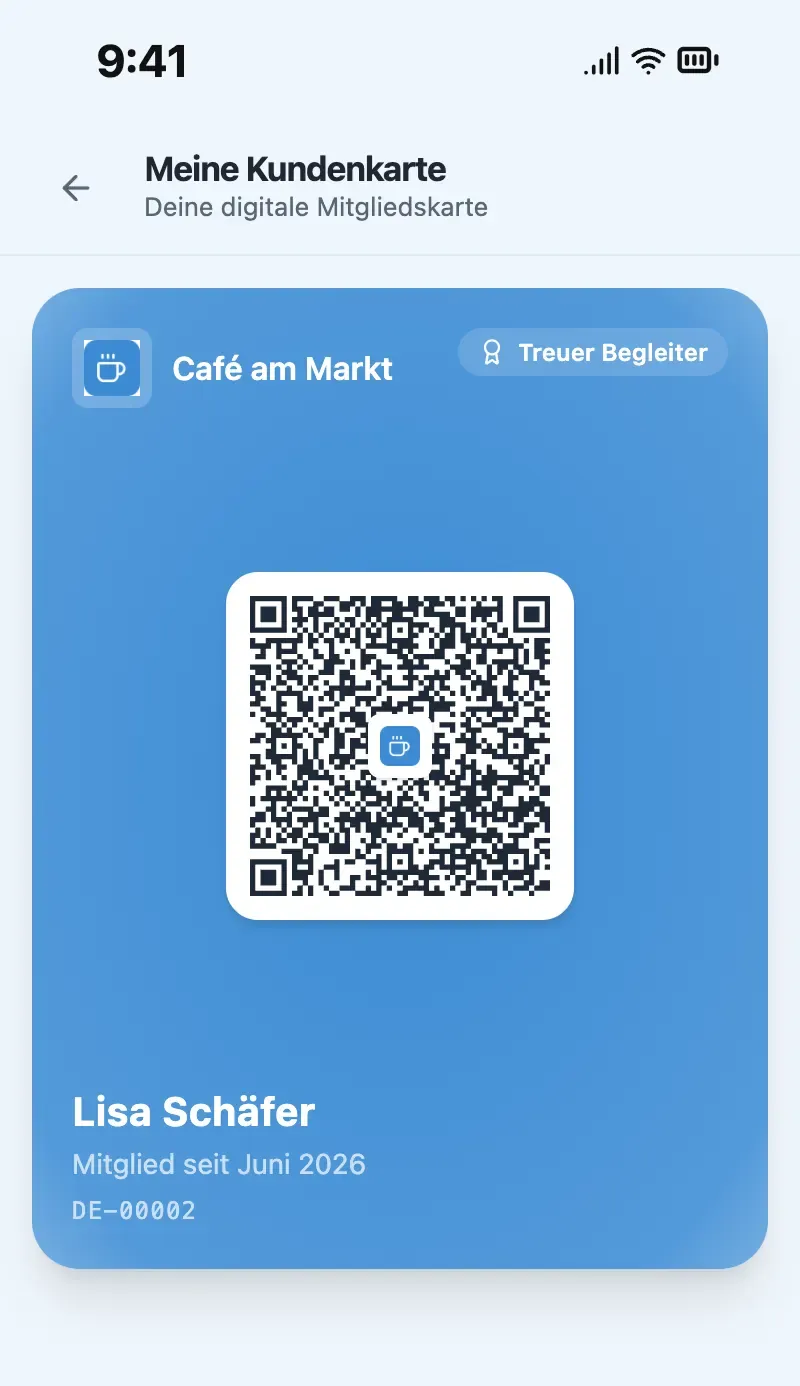
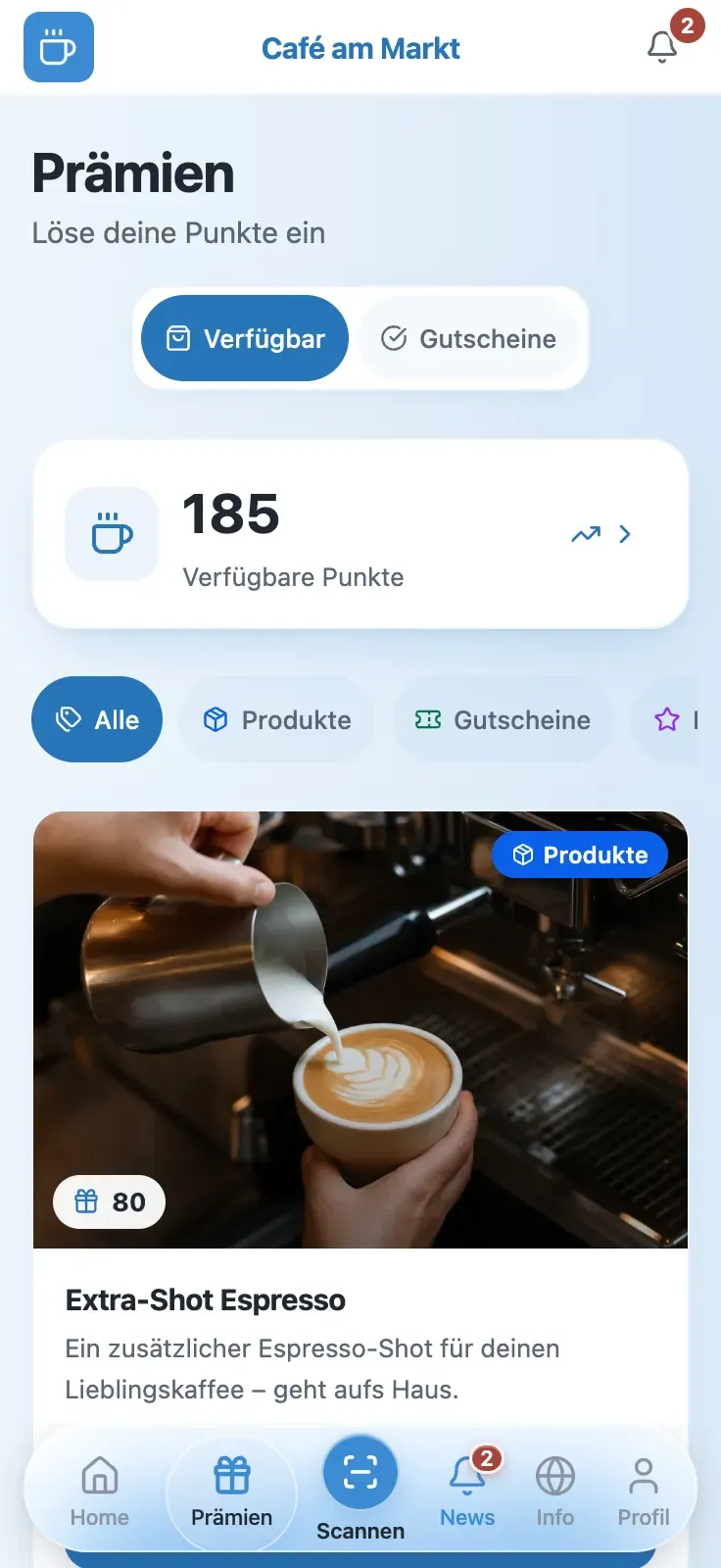
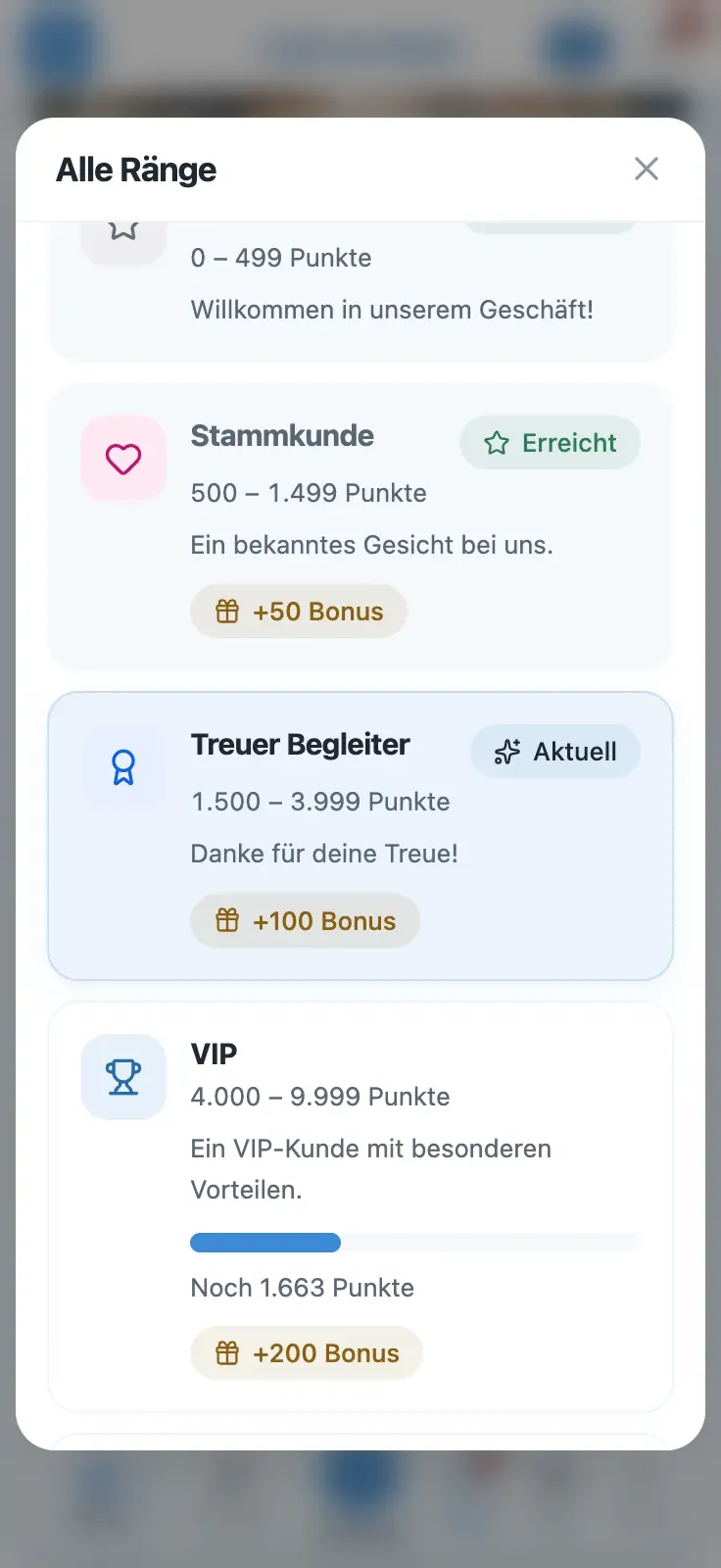
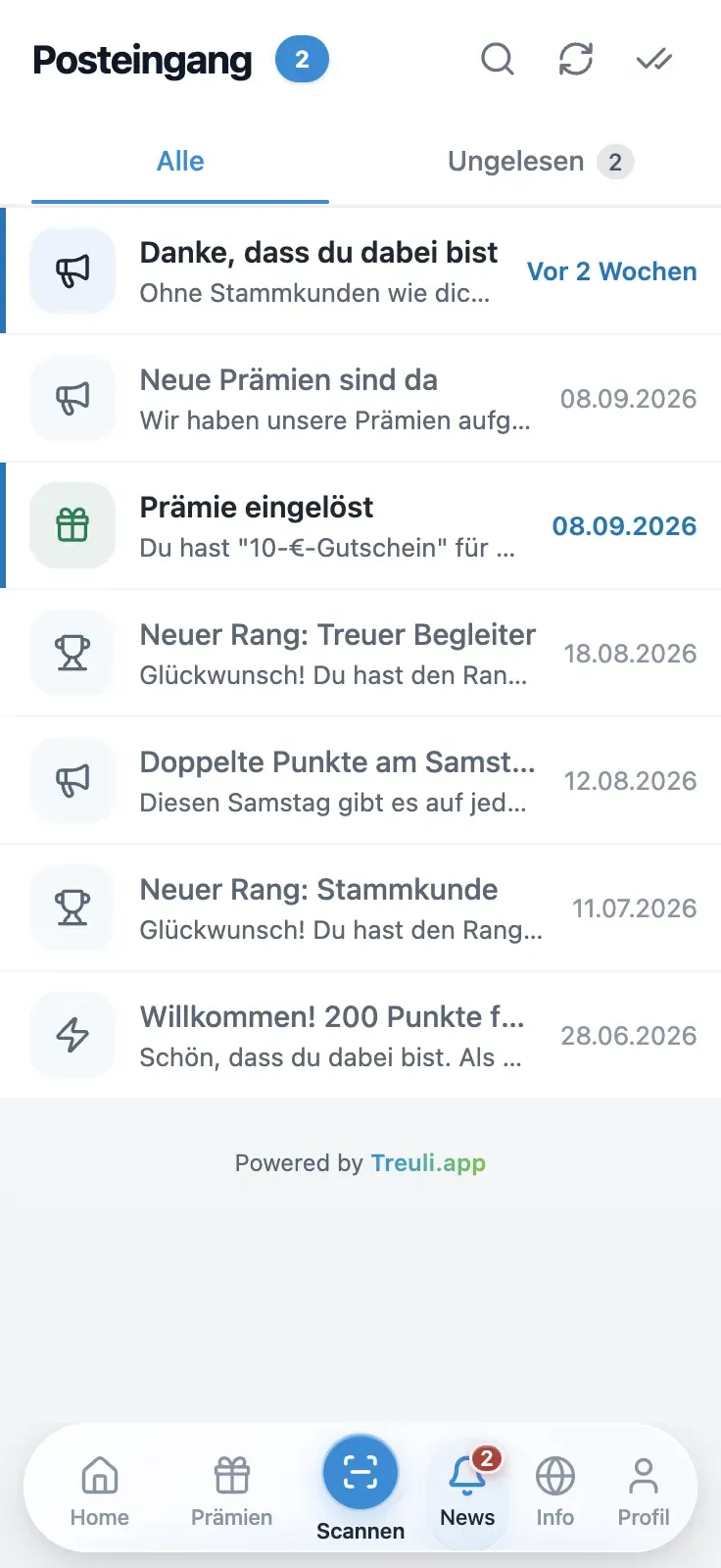
The screenshots show Treuli’s German interface.
You see who comes back.
In the admin area you keep track of customers, points and rewards, on your computer or your phone.
Dashboard
Customers, points and rewards of your shop at a glance.
Advanced statisticsFrom Starter
More detailed reports on customers, revenue, locations and rewards.
Points by hand
For customers without a smartphone, you book points directly in the admin area.
Staff roles
Staff get the role of admin or moderator. Moderators book points; settings such as rewards, ranks and the customer import stay with admins.
Export and import customers
You export the customer list as a CSV file. Existing customers come into Treuli from a JSON file, and only admins can do that.
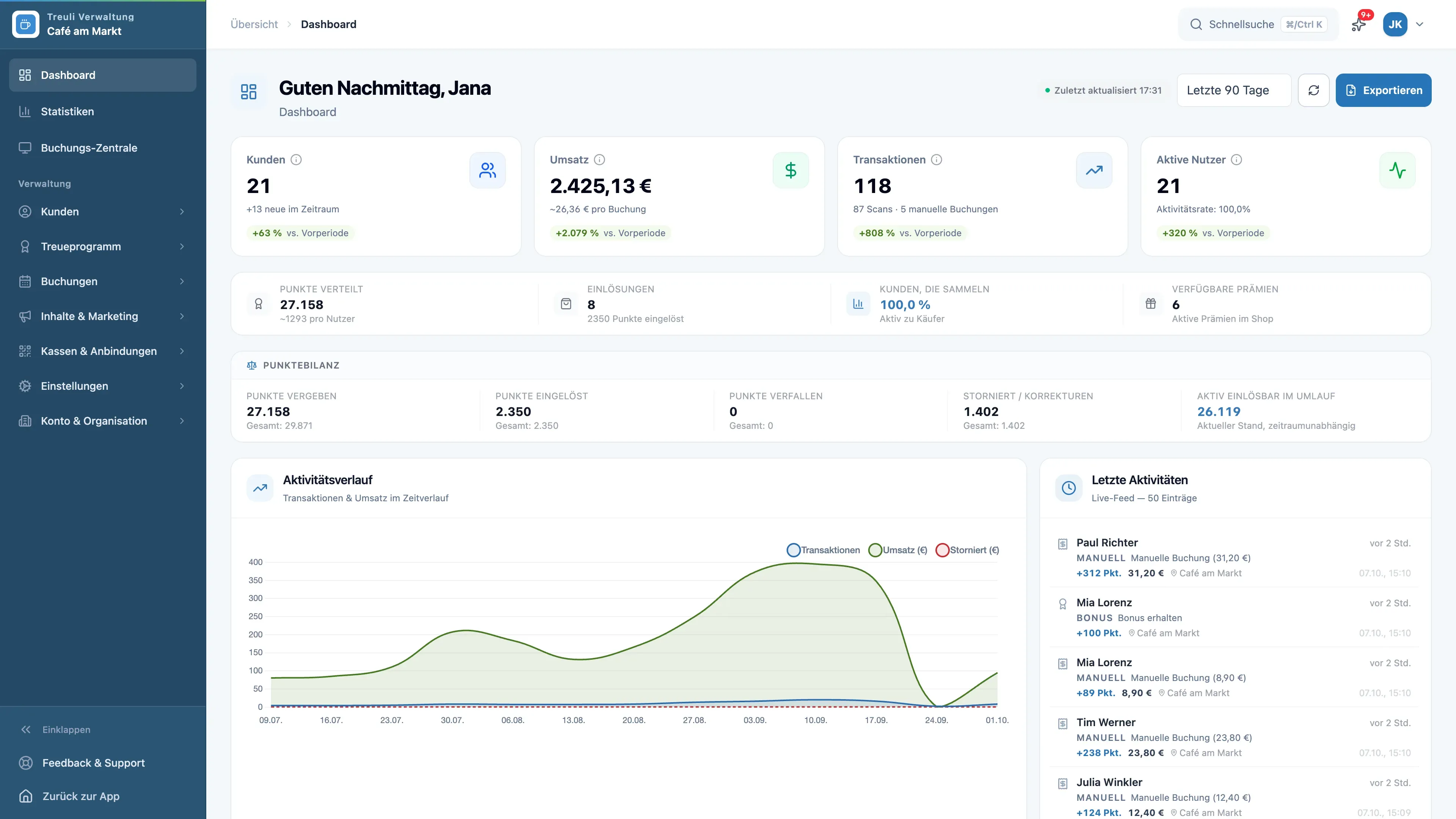
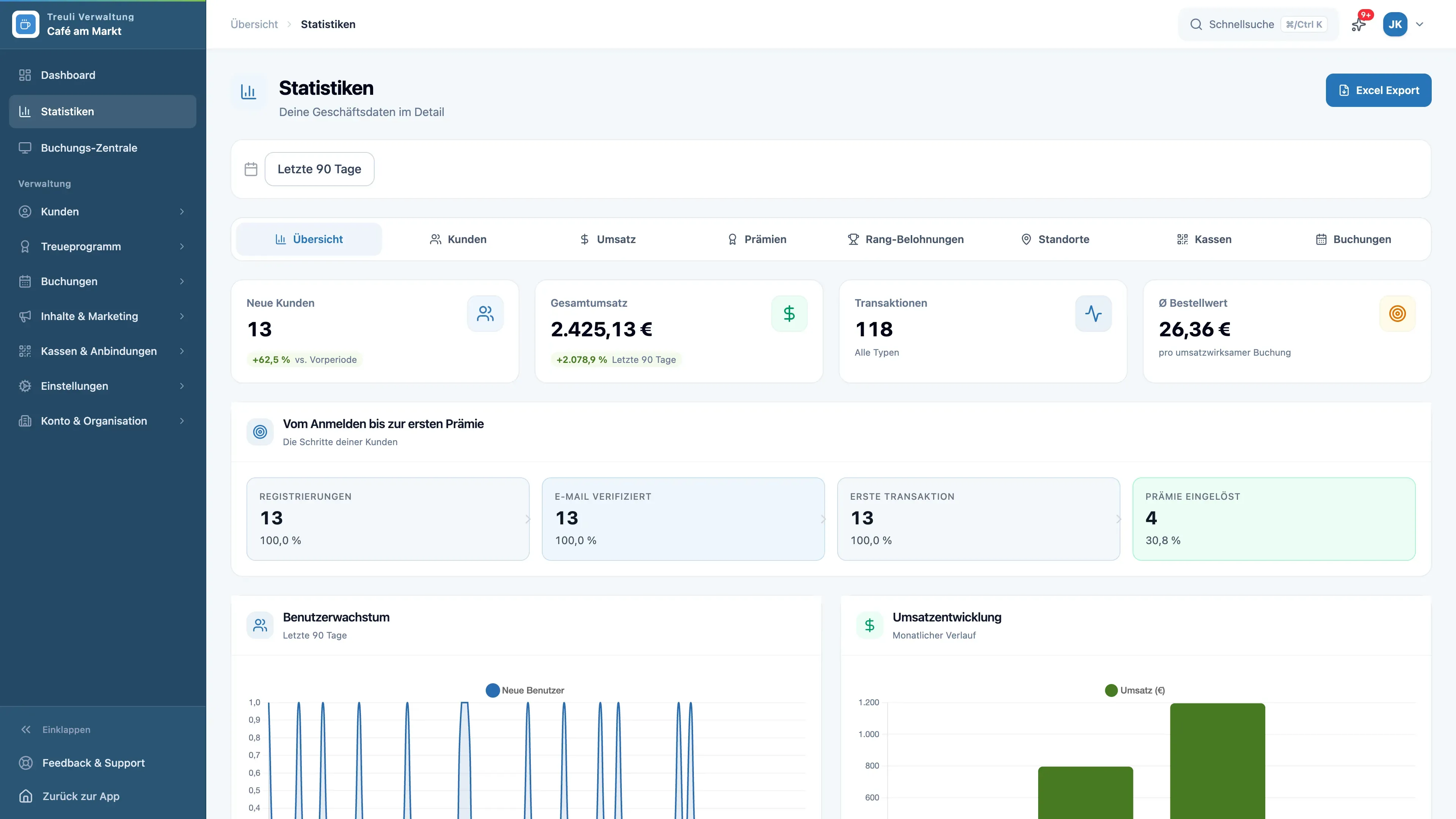
The screenshots show Treuli’s German interface.
Every feature and the plan it starts in
Straight from our plan system. Whatever is in Free, you get in every plan.
- All plans
QR Code Scanning
Customers scan the TSE QR code on their till receipt and get points.
- All plans
Campaigns & News
Offers and news for your customers, in the app and as a push notification. How many per month depends on the plan.
- From Starter
Menus and product lists
A menu or product list with allergen information that your customers can open online.
- All plans
Referral Program
Customers bring in customers, and earn points for it.
- All plans
Birthday Bonus
Points on their birthday, in an amount you choose.
- All plans
Points Expiry
If you like, points expire after a period you set.
- From Business
Rewards for customer tiers
Extra perks for higher ranks, such as voucher codes.
- From Starter
Campaigns by Email
Campaigns also reach your customers by email.
- From Starter
Advanced Statistics
Reports on customers, points and rewards.
- From Business
Sign-in with Google or Apple
Customers sign in with their Google or Apple account.
- Enterprise
API Access
An interface for your own connections to your systems.
- Enterprise
No “Powered by Treuli”
Your customer page appears without the “Powered by Treuli” notice.
- Enterprise
Custom Domain
Your customer page runs on your own domain.
- From Business
Priority Support
We answer your requests first.
- Add-on
Appointment Booking
Online appointment booking with points for completed appointments.
Ready in three steps
No appointment with a consultant, no new hardware.
Create an account
Sign up and add your shop. Free costs nothing; you can try Starter and Business for 14 days.
Set points and rewards
You decide how many points a euro earns and what a reward costs.
QR code on the counter
Print your QR code and put it on the counter. If your till prints the TSE or RKSV QR code on the receipt, you register it once. Otherwise you book the points in the admin area.
Questions about the features
What owners ask most often.
Do I need new hardware or a different till?
No. Customers scan the TSE or RKSV QR code on the receipt if your till prints it; you register the till with Treuli once for that. Without a QR code, you book points in the admin area or hand out collection QR codes.
Do my customers have to install an app?
No. The card runs in the browser. Anyone who likes can add it to Apple Wallet or Google Wallet or use the free Treuli app for iPhone and Android.
Can one receipt earn points twice?
No. Each receipt number counts only once in your shop. Scanning the same receipt again earns no points.
How many points are there per euro?
The default is 10 points per euro, and you set the rate yourself. Treuli calculates with the amount on the receipt and rounds to whole points.
Where is the data stored?
Hosting in the EU with Hetzner, a German provider. For push notifications, wallet cards and spam protection we use services from Apple, Google and Cloudflare. You sign the data processing agreement digitally in the admin area.
Try it with your first receipt.
Free costs nothing, for good. Try Starter and Business free for 14 days, no credit card needed.


Google Play and the Google Play logo are trademarks of Google LLC. Apple, the Apple logo and App Store are trademarks of Apple Inc.